A CSV export can have two columns named Qty even when their values refer to different things. Read the original header in Python before you decide how to name or load the columns.
Use csv.reader to read the header as a list, then count the names. In the example below, Qty appears twice. "Region, name" stays in one field because the comma is inside quotes.
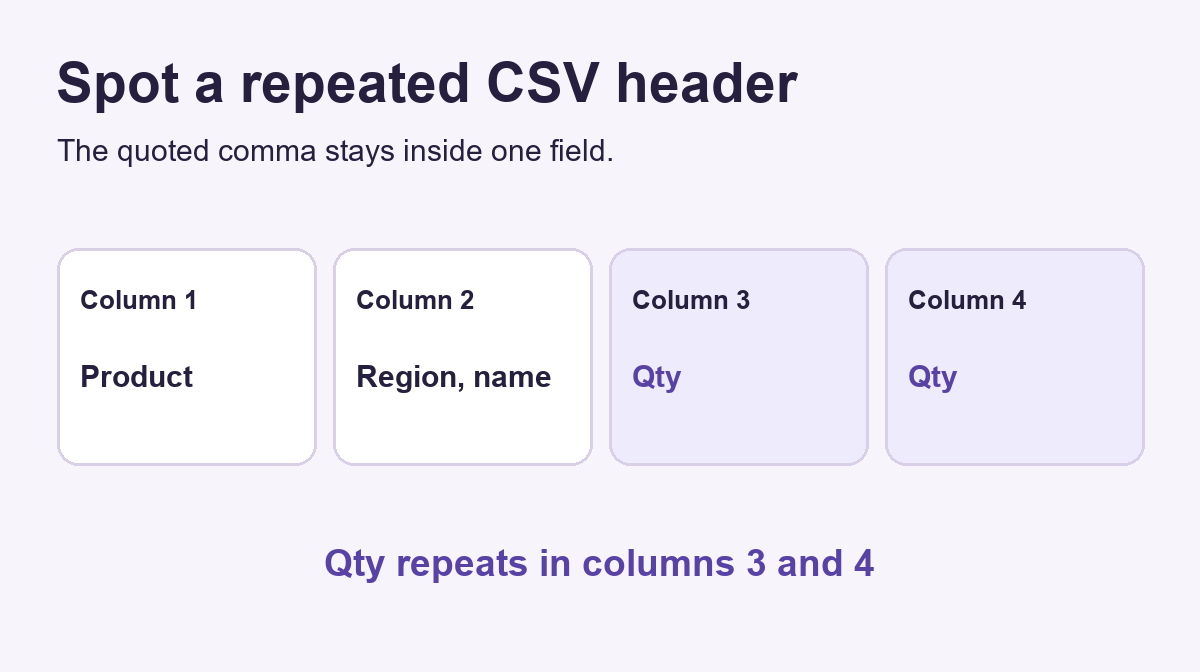
Parse the header and count the names
The first CSV record contains the column names. Pass the sample text to StringIO so you can run it as written. next takes the first record from the CSV reader. An empty file returns the supplied default, an empty list.
import csv
from collections import Counter
from io import StringIO

sample = 'Product,"Region, name",Qty,Qty\nBolt,North,12,5\n'

def duplicate_headers(source):
    header = next(csv.reader(source), [])
    counts = Counter(header)
    repeated = {name: count for name, count in counts.items() if count > 1}
    return header, repeated

header, repeated = duplicate_headers(StringIO(sample, newline=""))
print(header)
print(repeated)
['Product', 'Region, name', 'Qty', 'Qty']
{'Qty': 2}The list preserves all four positions, including both copies of Qty. Once you know that a name repeats, check the source to see what each position represents. In an inventory export, one quantity might mean units ordered and the other units shipped.
Run the same check on an export
Replace the sample call with this file-based call. For an export encoded as UTF-8, utf-8-sig also handles an optional byte-order mark at the beginning. Keep newline="" so the CSV reader can handle record boundaries itself.
with open("inventory.csv", encoding="utf-8-sig", newline="") as source:
    header, repeated = duplicate_headers(source)

if not header:
    raise ValueError("The CSV has no header row.")
if repeated:
    raise ValueError(f"Duplicate column names: {repeated}")
Decide what counts as the same name
The check compares names exactly. It treats Qty, qty, and Qty as different strings. If your import deliberately folds case or strips spaces, run the same counting step on the transformed names before assigning them. Keep the original names and their positions so you can explain any conflict.
Check the header of each export before you combine multiple CSV files in pandas. Distinct names make it easier to align the same fields across files.